
Choose the right destination
To share an article, product or form, start with that page’s URL. To open a conversation with your business, start with WhatsApp’s Click to Chat URL. Shortening redirects to the supplied destination; it does not send a message on someone’s behalf.
Shorten a URL for a message
Copy the full destination URL and paste it into Kitzr. Open the custom-link option if you want an alias such as workshop-registration. Copy the result into your message and describe the destination in a short sentence.
Test the link on a phone before posting it to a group. A private document or organization-only form will still require access permission after shortening.
Create a link that opens a chat
The official format uses https://wa.me/ followed by a phone number in international format, with digits only. Leave out the plus sign, spaces and hyphens. Use a number you own or have permission to publish. Check WhatsApp’s guidance for country-specific formatting.
An optional text parameter can hold a URL-encoded message. The visitor still chooses whether to send it. Test the original chat link before shortening; Kitzr does not verify that a number is registered with WhatsApp.
Measure opens without overclaiming
Create the short link while signed in to keep management and analytics available. Separate links for a group, status update and email make channel comparisons easier.
WhatsApp opens may appear as direct or unknown because referral data is not always sent. Click counts do not show how many messages were sent or purchases completed. Preview systems may also visit a link.
Worked example: a registration form and a chat are different destinations
Illustrative scenario: a workshop collects registrations in a form and questions in WhatsApp. Make two clearly named links and describe what each opens. A button that starts a conversation should not promise to complete registration.
| Purpose | Destination to shorten | Suggested label |
|---|---|---|
| Registration | The form’s responder URL | Complete the registration form |
| A question before registering | The output of the WhatsApp link builder | Chat with the workshop organizer |
From phone number to prefilled message
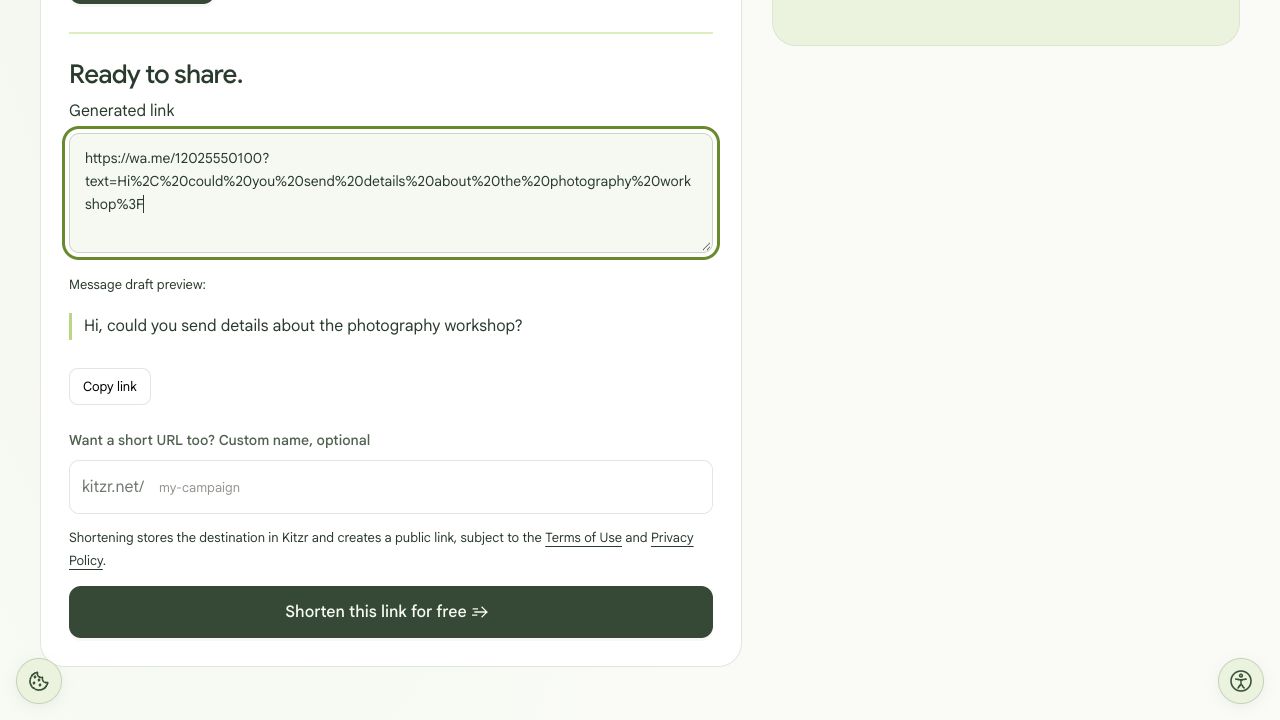
Test performed: we selected US and Canada, entered 202-555-0100, generated the URL and checked the output number 12025550100 and the decoded message against the input. This is a fictional demonstration number. We did not open a WhatsApp chat, send a message or create a public short link. An active recipient account and app handoff were not tested.
- Open Kitzr’s WhatsApp link builder. Enter a number you are authorized to publish and choose the correct country. Check the full number in the output.
- Write a short message suitable for any visitor, such as “Hi, could you send details about the photography workshop?” Keep customer details out of it: the message is included in the URL.
- Generate the link. Spaces, punctuation and non-Latin characters can appear as sequences containing %. This is URL encoding, not corruption or encryption.
- Open the result on a device with WhatsApp and check the recipient and message before sending anything. You do not need to send a message to inspect the destination. Check a computer too if you expect desktop users.
- After that check, shorten the generated URL. Use Kitzr’s destination preview and keep a record of the original URL and the actual short link.
The link opens, but something is wrong
| Symptom | What to check |
|---|---|
| The wrong recipient opens | Recheck the original number and country. Kitzr does not verify ownership or an active WhatsApp account. |
| The message contains unexpected percent sequences | Enter plain text in the builder. Pasting text that is already encoded can encode it a second time. |
| There are clicks but no enquiries | Opening a link is not sending a message. Repeat visits and preview fetches can also occur. |
| Your business number changed | Kitzr cannot edit an existing short link’s destination. Create a new link and update placements; check them before pausing the old one. |
Before publishing
Confirm the recipient, readable message, accurate button label and the account that will manage the link. Separate short links for different placements can help compare opens; those counts still do not identify people or messages sent.
Open the WhatsApp link builder · Check the saved destination · Share a registration form